
The Critical Role of Data Backups in Business Continuity
A data backup is different from data storage. While you might have some of your company’s data and documents stored in places like Google Drive or a filing cabinet in your office, data backups are a whole different beast.
In business, you can back up not only your data, but also your systems (e.g. hardware, software, website, network, and more). The goal in capturing backups is to have something to retrieve if your data is lost, deleted, or corrupted, or if your system gets damaged. When restored, the backup returns your business to a safe and stable point in time in the past, and it does so quickly too.
In this post, we’ll examine the role that data backups play in business continuity and how to go about developing a solid backup strategy for your business.
What Is Business Continuity?
Business continuity is a strategy that enables an organization to operate despite encountering an unforeseen event. It goes hand-in-hand with disaster recovery, which is the process that outlines how an organization will restore itself after a disruptive event.
These two strategies require comprehensive and proactive planning.
For starters, an organization will perform a risk assessment to identify potential business disruptions. Using the example of data loss, here are some possible scenarios:
- Human error: Someone accidentally deletes an entire contact list from your email marketing software.
- Failed migration: When moving your business from one state to another, a server was left behind and its data destroyed.
- Security breach: Your firm’s client management software has been hijacked by a hacker and your data is now being held for ransom.
- System failure: Your team uses a password management tool to store and share private data. The company that owns the tool had a server outage over the weekend and lost all your passwords and data.
- Lost device: One of your crew left their work tablet at an Airbnb they stayed at while working on a remote site. When they went to retrieve it the next day, it was gone.
- Natural disaster: A major flood hit your area in Tennessee and your office and all the equipment inside was damaged in the process.
Once the risks are laid out, the organization needs to do an impact analysis. This helps to understand the ramifications of such an event on their most vital systems.
In looking ahead at potential “disasters”, organizations are able to put together a step-by-step plan that details what’s needed in order to recover and/or continue operating.
The rest of the strategy defines stakeholder roles and responsibilities, employee contact information, alternative communication channels (if needed), and other aspects of the contingency plan.
As you can imagine, most disasters will impact more than just company data. So business continuity and disaster recovery (BC/DR) requires much more than a plan for safeguarding and recovering data. That said, no BC/DR plan is complete without data backups.
What Should Your Data Backup Strategy Consist Of?
How much is your data worth?
Data loss is costly for American businesses.
According to an Acronis report, data center outages cost businesses around $7,900 for every minute they go down. That’s just for server outages, like when AWS or Cloudflare go offline and all your apps stop working.
Cyberattack-related data loss is super costly as well and it happens in about 46% of all cases. The average cost for an SMB to recover from a cybersecurity incident is $77,957. That doesn’t include costs associated with non-compliance fines, lost opportunities, ransoms, or reputational damage either.
Data backups minimize the impact and cost of an unplanned incident on your business. Instead of spending hours, days, or even weeks trying to recover your data and restore your operation, your data backup strategy can have you back in business right away.
If you haven’t fleshed out a backup strategy yet, here’s what you’ll need to do:
1. Document What Needs Backing Up
Take stock of where all your company’s information resides. Document the following:
- The devices that are used to access the data, including any personal employee devices or local data storage on individuals’ machines
- The software you use that houses any of your data
- What kind of data lives in each of these places
- Which data is mission-critical
- What sorts of backup systems are already in place
Ultimately, this exercise will help you track down all your data so you can devise a plan to back up and protect it.
2. Choose Your Backup Methods
There areplaces where you can store your data. For example:
On-site backups live at your place of business. They may be stored on a self-hosted server or an external hard drive, and are managed by you.
Offsite backups live at a different location than your place of business. They may be saved to a tape or disk, and then physically housed somewhere else. Or they can be saved to the cloud.
Cloud backups live in a remote data center and are a type of offsite backup. They are managed by a third-party cloud service provider and there are limits to how much data you can store on the server.
In addition to deciding where to house your backup, you also need to determine if you need an immutable copy.
Immutable backups are ones that cannot be modified or deleted. This means that no one — not even an administrator or an employee gone rogue — can touch it. It exists in a read-only state for the sole purpose of restoring your data and business to that exact snapshot of it.
3. Follow the 3-2-1 Backup Rule
As you might imagine, some backups are still susceptible to corruption and loss. As a result, we advise businesses to adopt the 3-2-1 backup rule when putting their strategy in place.
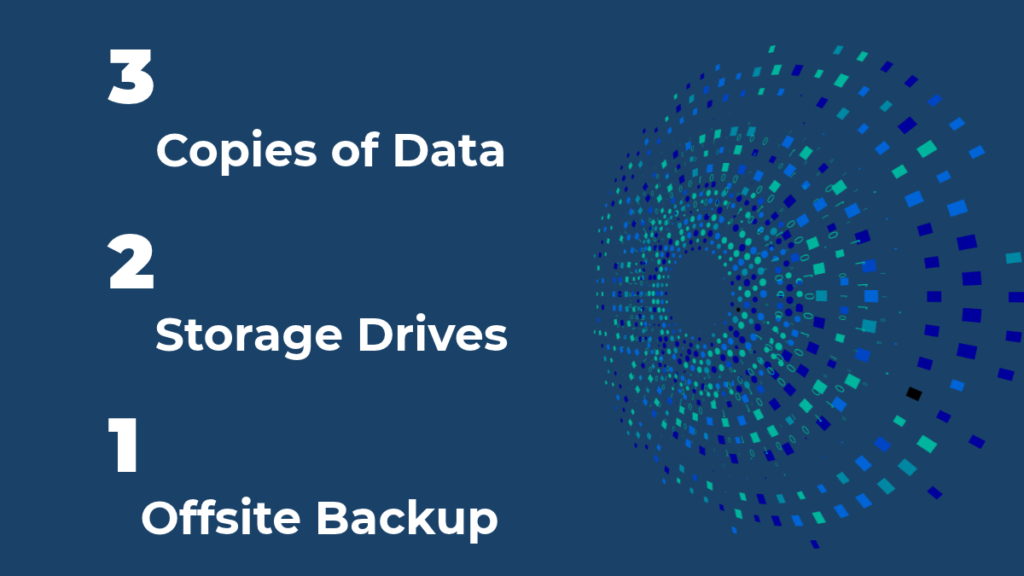
The rule works like this:
- Create 3 copies of your business’s most important files (if not all of them).
- Store the copies on at least 2 different kinds of storage media — one on-site and one in the cloud.
- Save 1 copy at an off-site location (not just in the cloud).
This might seem like overkill. However, if you want to protect your data and have a fast and reliable means of restoring it, you have to plan for the worst-case scenario (i.e. losing a backup in addition to the source data).
4. Schedule Automated Backups
Backups typically aren’t a one-and-done kind of thing. Unless your business isn’t capturing data on an ongoing basis (which is highly unlikely), you’re going to need regular backups.
The easiest way to handle this is by automating your backups. Just be sure to set a frequency that makes sense.
Every time you capture a backup, it’s going to take up space (and bandwidth) somewhere. Not only will things get messy very quickly, it’ll get costly, too.
At the same time, you don’t want to be too infrequent with your backups as it could still leave you with data loss despite a fast recovery time.
In addition to finding the perfect backup frequency, you need a data backup retention plan as well. That way, as the backups are captured, you make space for them by deleting older ones you no longer need.
Get Started with Data Backups and Business Continuity
You might not be able to predict when a disruptive or destructive event will happen. However, you can anticipate the possible risks and scenarios, and then plan for them.
Data backups are going to be a critical piece of your business continuity and disaster recovery plan. If you don’t yet have a system for backing up your data or a plan for restoring your systems, we can help.
Contact Magnum Computer Services today for a free custom quote.
Recent Posts
Subscribe for More Content
Are you a business owner or IT manager looking to optimize your company’s IT systems? Subscribe for more useful tips and insights.